
Analog-to-SIP migration
Preserve selected analog phones, fax machines and modems while moving service delivery to SIP and cloud telephony.
A secure two-port FXS VoIP adapter for connecting analog phones, fax machines and modems to SIP, cloud telephony and PSTN-replacement services.
Share the exact model, connected analog devices, quantities, SIP service and installation country. Our team can help identify the appropriate purchasing path.
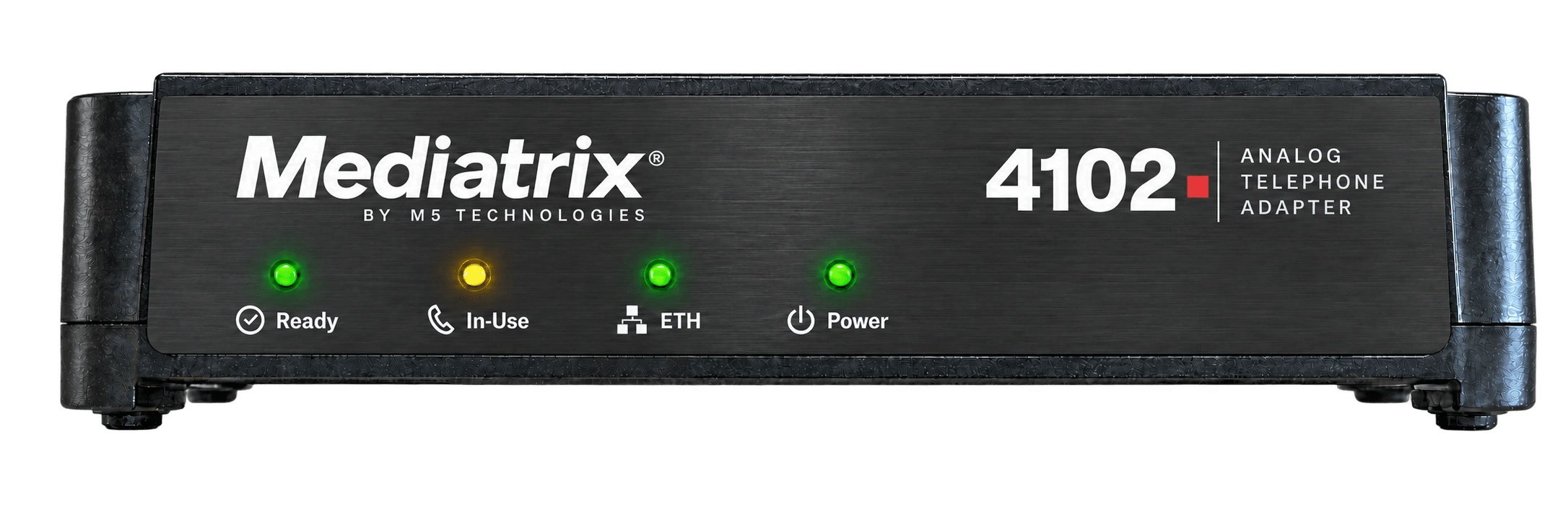
Request a Mediatrix 4102 QuotationMediatrix 4102S is a secure VoIP analog adaptor that connects two analog telephones, fax machines or modems to SIP services for branch, SMB and PSTN-replacement deployments.
Preserve selected analog phones, fax machines and modems while moving service delivery to SIP and cloud telephony.
Real-time T.38 and G.711 clear-channel pass-through provide two validated transport approaches.
Zero-touch provisioning, TLS 1.3, SRTP, certificates, TR-069 and remote management support operator-scale rollouts.
Download the PDF files directly. Use the documentation portal for configuration guides, installation procedures and release-specific information.
A product decision is only correct when both sides of the interface, the security boundary and the operating model are considered together.
Local phones, a local IP PBX, Mediatrix gateways and Sentinel can exchange SIP calls entirely inside the organization. The voice path can remain on a private LAN, VLAN, campus network or isolated operational network.
An external connection is used only when calls must reach public numbers, remote sites or hosted services. If the required call path is entirely local, the system can stay on the private network.
The gateway provides the analog station interface and converts the call to SIP.
T.38 or G.711 behavior must be accepted by the carrier and tested end to end.
Data-over-audio is sensitive to codecs, jitter and packet loss and may require pass-through testing.
Two FXS ports connect two validated analog devices to SIP.
Controls extensions and internal routing on the private network. It may remain fully on-premises.
Provides telephone numbers and PSTN connectivity.
Hosted call control is reached through the correct SIP and SBC architecture.
Conceptual architecture — final topology, capacity and interface configuration require validation.
Port count alone is not enough. Endpoint behavior, line length, signaling, fax or modem transport, power and carrier acceptance all affect the final choice.
Always validate the exact SKU, interface modules and supported endpoint behavior before ordering or replacing an active line.| Selection factor | 4102 / 4102S | C7 Series | G7 Series | S7 / S7 LP |
|---|---|---|---|---|
| Primary role | Two-port analog adapter | Compact multi-interface gateway | Digital and analog media gateway | High-density FXS gateway |
| Interfaces | 2 FXS | FXS / FXO / BRI by model | PRI / BRI / FXS / FXO by model | 16 or 24 FXS |
| Deployment fit | Small site or single service | Branch and mixed legacy edge | PBX and TDM modernization | Campus and high-density analog |
| Special consideration | Fax / modem validation | Exact model configuration | Trunk and channel design | S7 LP for validated long-loop needs |
The Mediatrix 4102S connects compatible analog telephones, fax machines and modems to SIP systems. Confirm the endpoint and service configuration before deployment.
Two physical RJ-11 FXS ports, plus separate LAN and WAN 10/100 Ethernet ports. Voice processing channels do not represent additional physical connectors.
The downloadable datasheet describes the 4102S. For an existing 4102, confirm its exact hardware and firmware before applying these specifications or ordering a replacement.
It uses an external 12 VDC, 1.5 A power supply. The supplied datasheet specifies a 100–240 VAC input supply.
The 4102S supports T.38 fax and G.711 fax/modem pass-through. T.38 requires compatible support at both ends; validate the actual service and endpoint combination. Alarm, elevator and emergency applications require separate validation of their complete operating requirements.
Provide your installed model, SIP provider, analog devices, quantities and installation country. Review required SIP features with M5 and use the quotation or distributor links on this page.
Share the product, deployment and target outcome. M5 will identify the right technical and commercial path.